No manual to read. Each screen below has the steps marked right on it, the same screen you'll use.
At the counter
Four taps from an empty screen to money in the till. Follow the numbers.
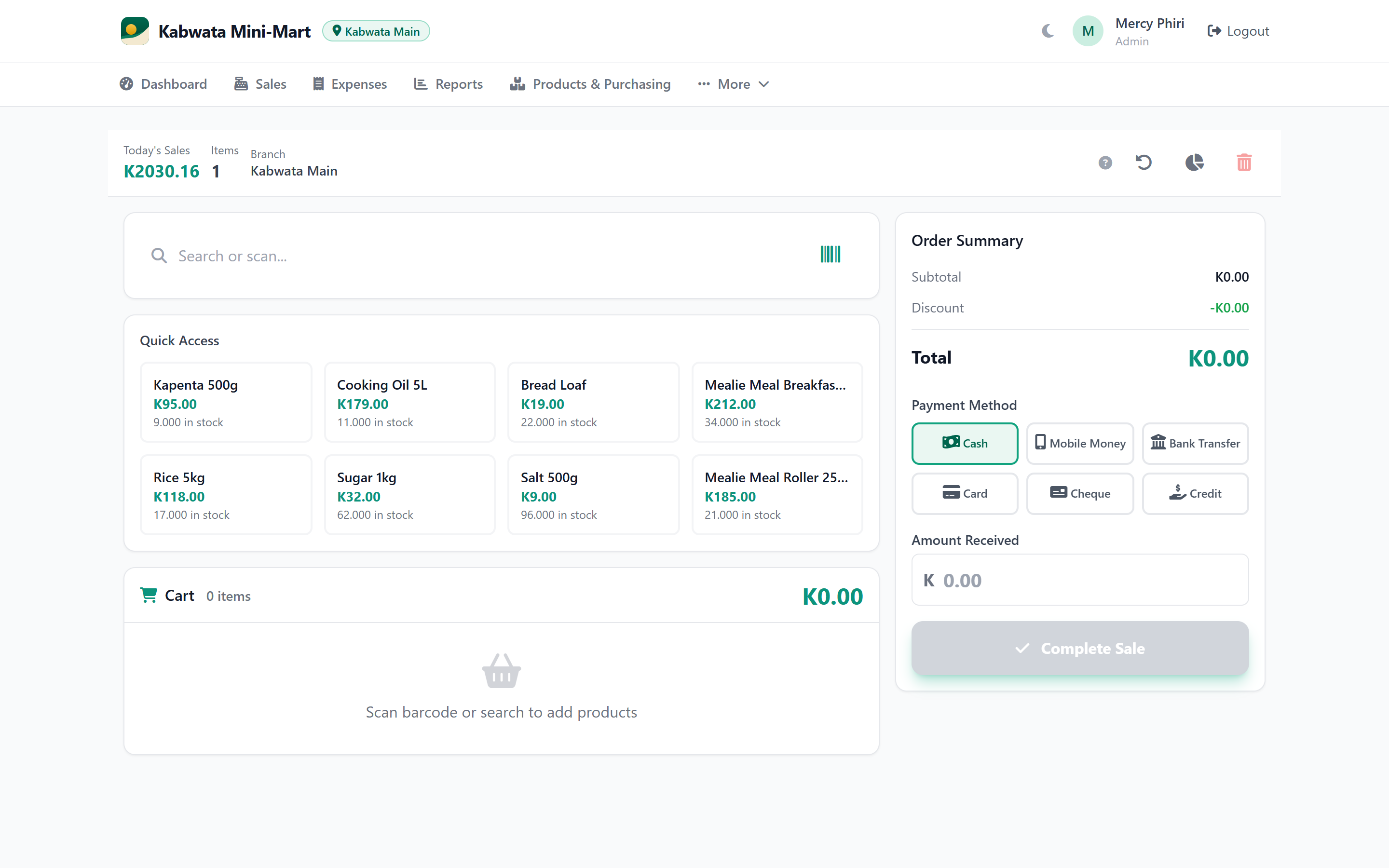
Tap a number to match it to the screen.
Your morning coffee
Open the app and the whole business is in front of you before you finish your tea.
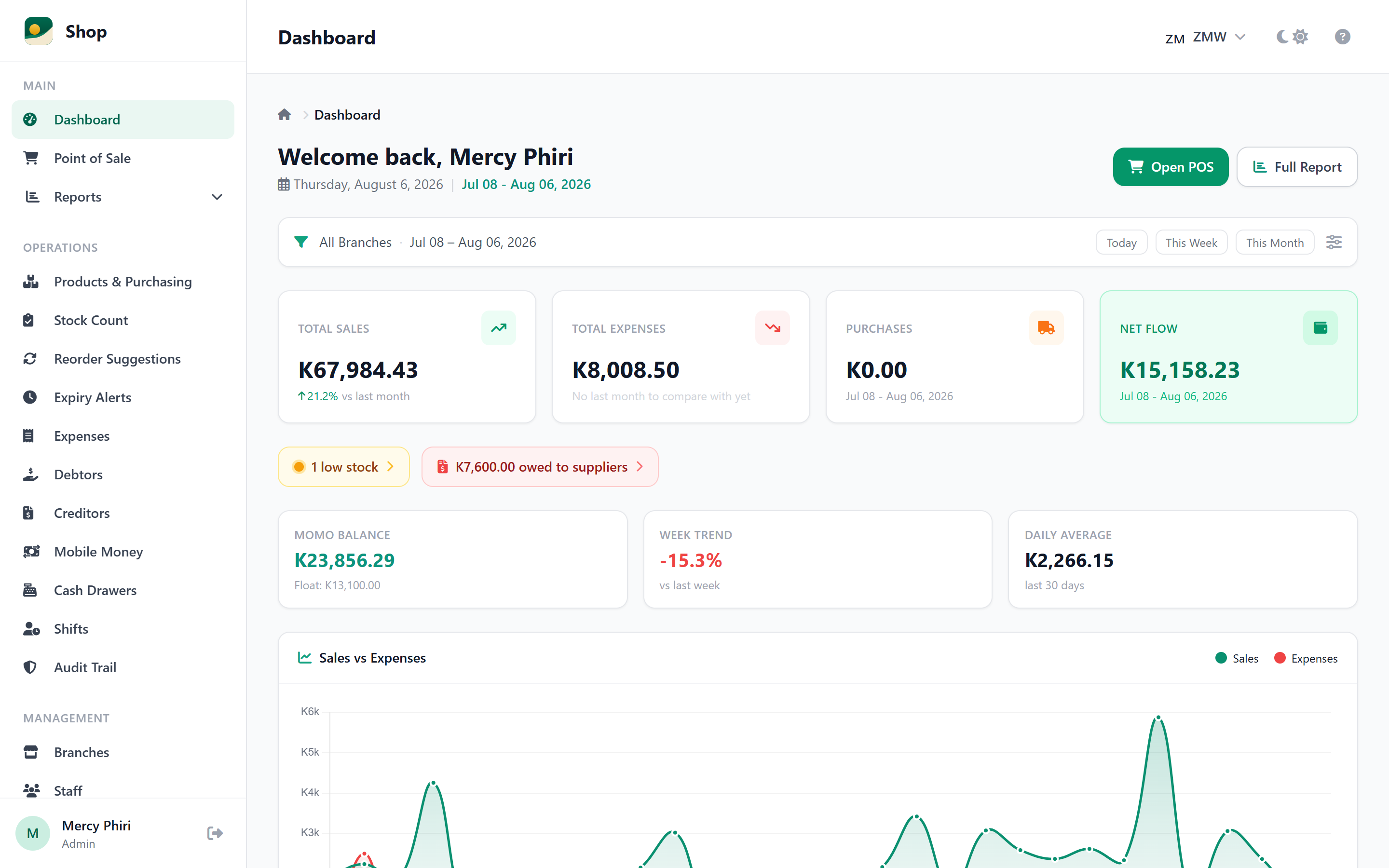
Tap a number to match it to the screen.
End of the month
No adding up exercise books at midnight. Pick the dates and the answer is right there.
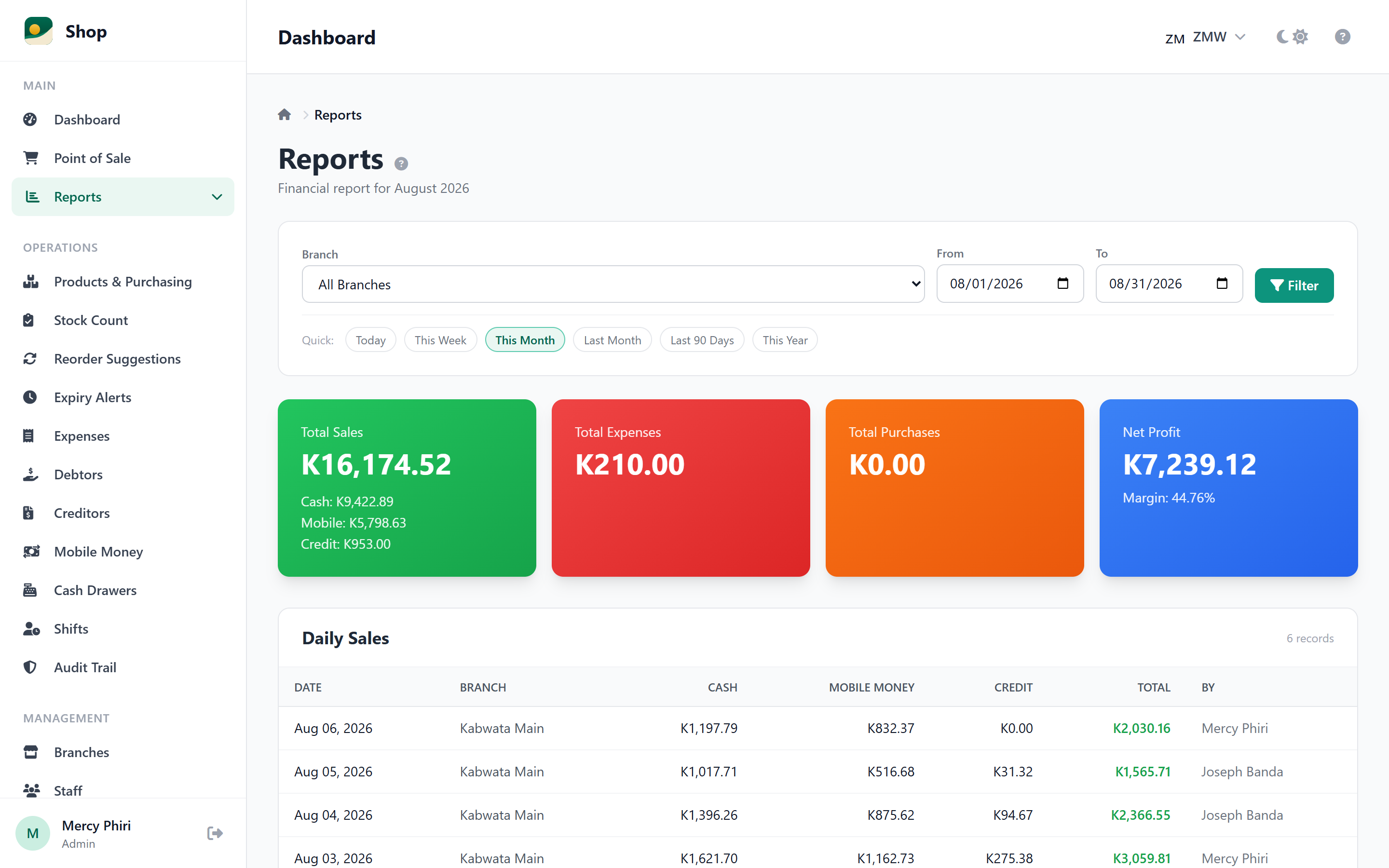
Tap a number to match it to the screen.
For mobile money booths
Once, on the phone that sits at the booth. After this it works on its own, day and night.
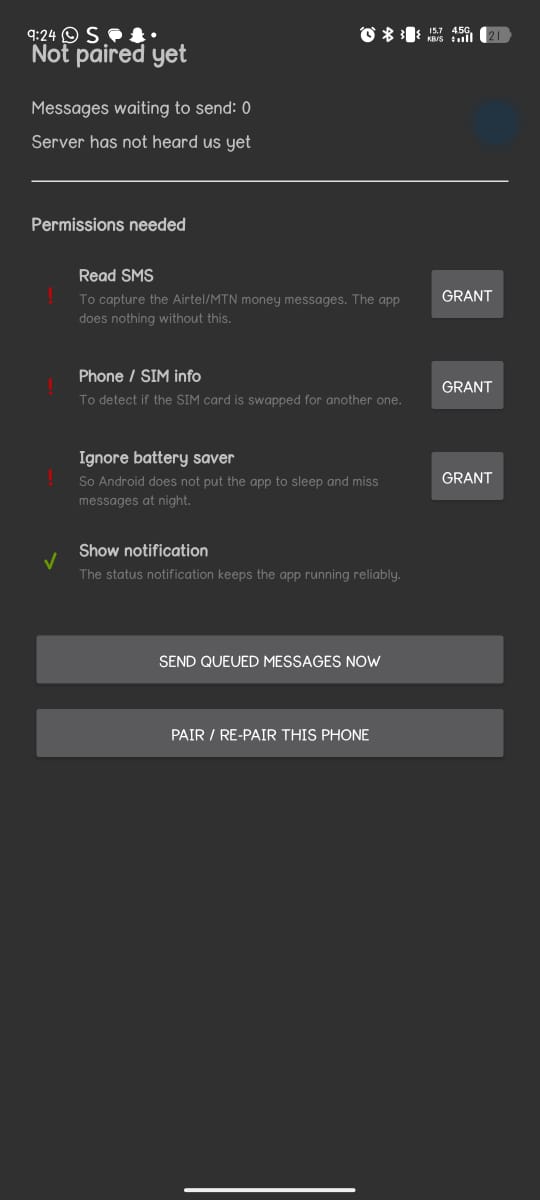
Tap a number to match it to the screen.
What your teller sees
Everything a booth teller needs on one phone screen, and nothing they don't.
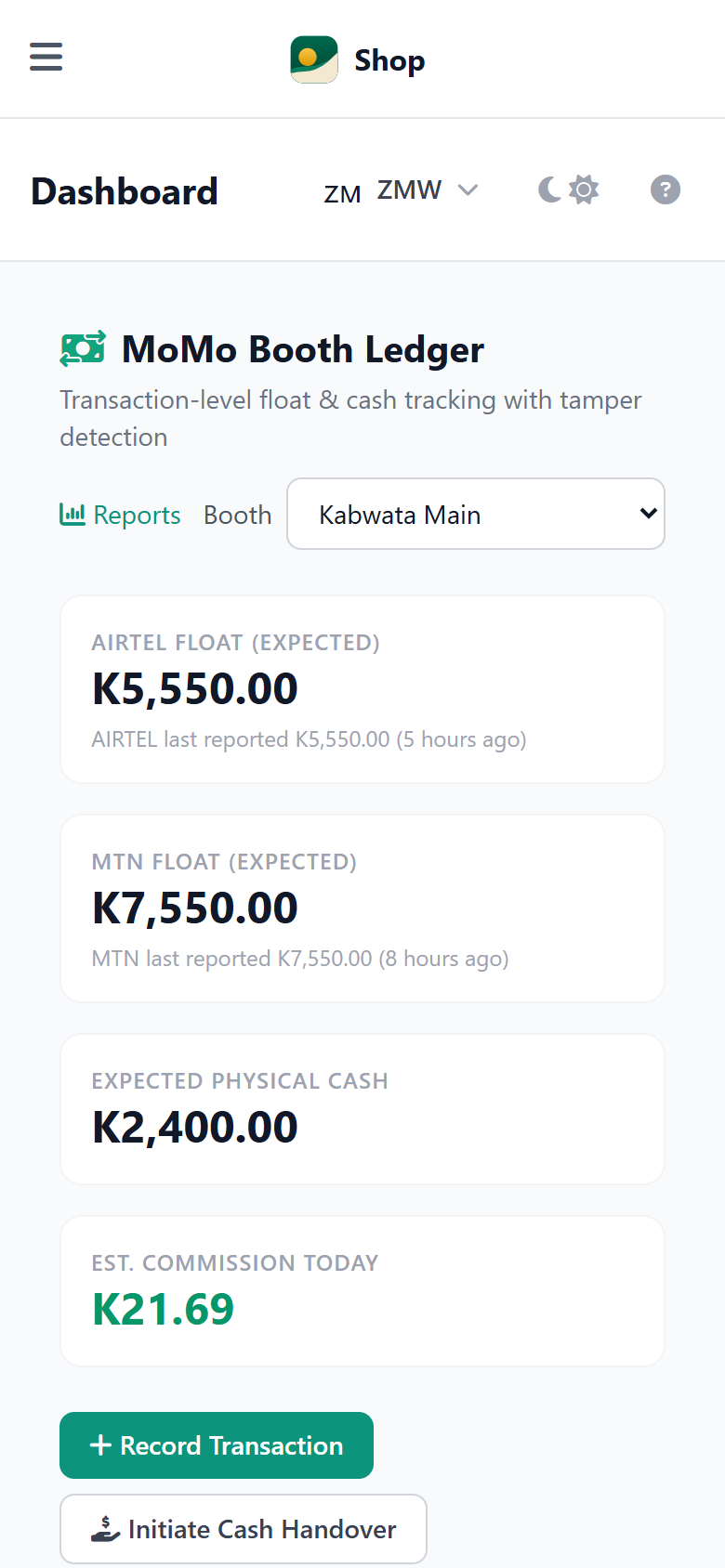
Tap a number to match it to the screen.
From home, on your phone
One screen tells you if every booth is honest today, without you sitting in any of them.
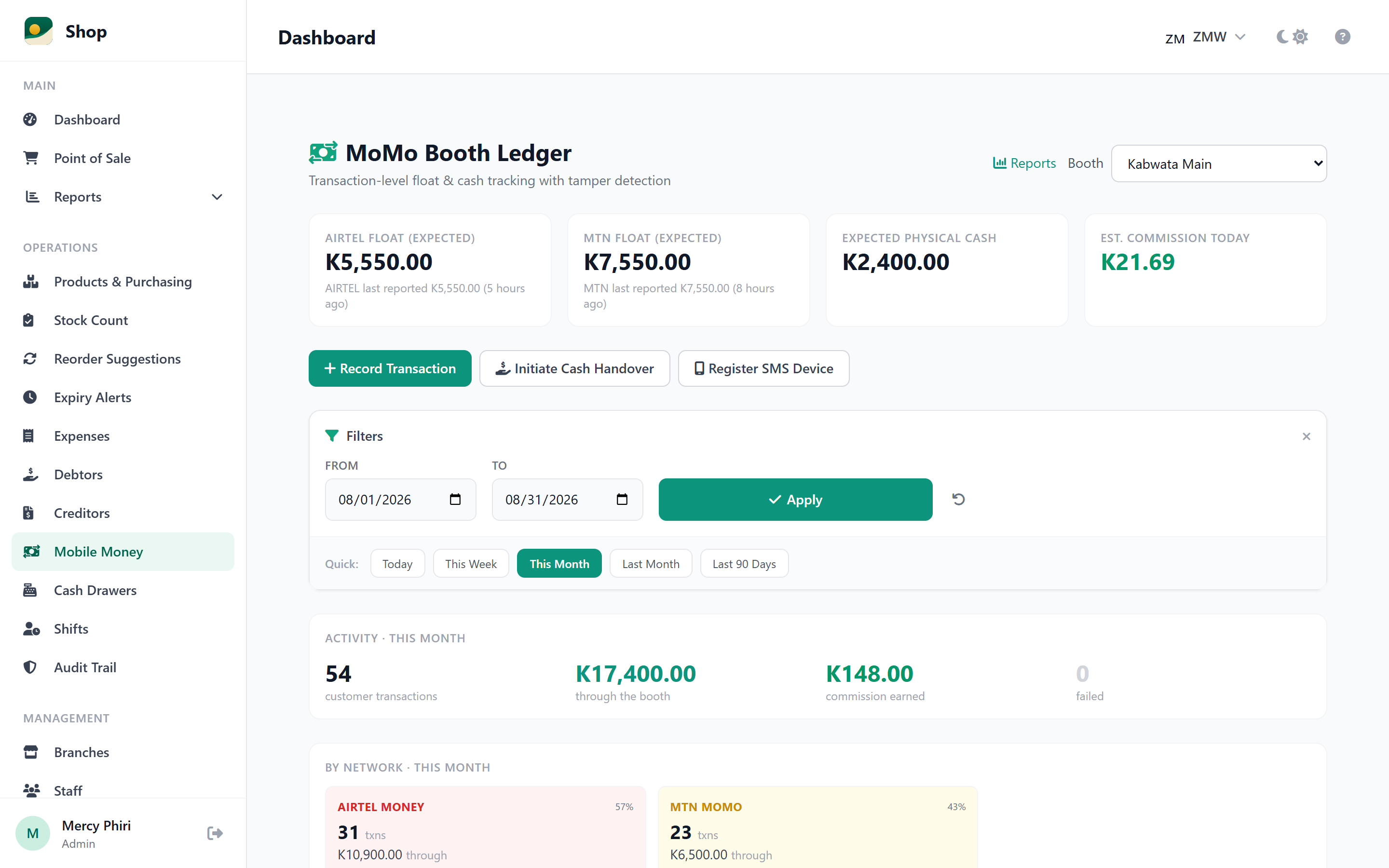
Tap a number to match it to the screen.
The 30-day trial is the real thing, not a demo. Set up in minutes and make your first sale today.
Start Free Trial